Essential China Apps: What to Install and Verify Before You Fly (2026)
A China trip runs on a small set of apps: two payment wallets, a working map, the rail booking app, a ride-hailing mini-program and an offline translation tool. The apps themselves are easy to install. What takes time is identity verification, card linking and the bank approval challenges that are far simpler to resolve at home than in an arrivals hall. This is the setup list, in the order that actually works.
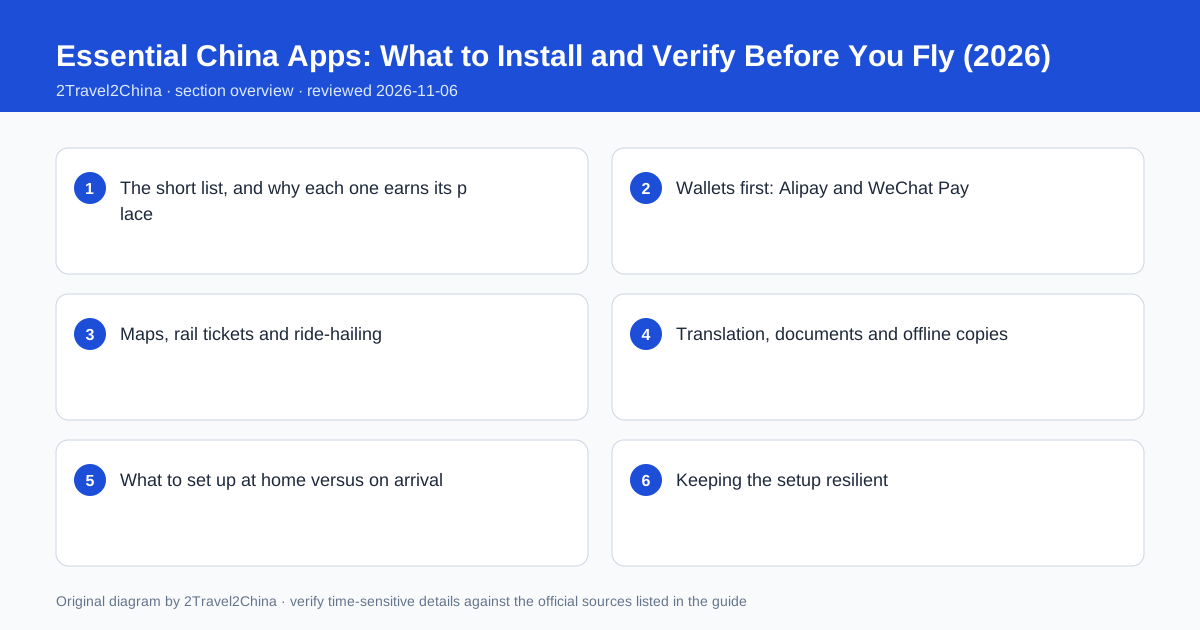
The short list, and why each one earns its place
Resist the temptation to install twenty "China essentials". Six functions cover almost every situation a visitor faces: paying, navigating, booking trains, getting a car, translating a line of text and keeping a copy of documents. Two wallets handle payments because their risk systems fail independently. A map app that works in mainland China handles navigation. The rail app handles tickets. A mini-program inside a wallet handles cars. An offline translation pack handles the language gap.
| Function | Where it lives | Set up at home? |
|---|---|---|
| Payments — primary | Alipay | Yes — passport verification and card linking |
| Payments — backup | WeChat Pay | Yes — same, with a second card if possible |
| Navigation | A map app with mainland coverage | Yes — offline map download |
| Rail tickets | 12306 | Yes — register with the exact passport name |
| Ride-hailing | DiDi mini-program in a wallet | Partly — opens once the wallet works |
| Translation | Translation app with offline Chinese pack | Yes — download the pack over Wi-Fi |
The order matters. The two wallets are the foundation: the ride-hailing mini-program, the transport QR code and many attraction bookings all sit inside them and inherit their verified identity. Set those up first, then add the map and rail apps, and leave the mini-programs for last. Trying to book a car before the wallet is verified produces a confusing failure that looks like a transport problem but is not.
Wallets first: Alipay and WeChat Pay
Install both, register with a reachable phone number, complete the passport identity check and link a foreign card. Visa, Mastercard, JCB, Diners Club and Discover are commonly supported. Make one small payment or top-up test while you are still at home, where a bank verification code will arrive normally. Then link a second card from a different issuer if you have one. This is the single highest-value hour of pre-departure preparation.
Install both apps
Use the same phone number you will carry on the trip.
Verify with the passport
Copy the name and document number exactly from the biographical page.
Link a foreign card
Complete any bank authentication challenge while at home.
Make a small test payment
Confirm the whole chain settles before you rely on it.
Add a second card
Different issuer, so one bank block does not stop both wallets.
Note the foreign-card rules so they do not surprise you later. The People’s Bank of China raised the single-transaction ceiling from USD 1,000 to USD 5,000 and the annual ceiling from USD 10,000 to USD 50,000; transactions above RMB 200 attract a 3 percent service fee while smaller ones do not. Small daily purchases are fee-free. The fee matters for a hotel bill, not a metro ride, and it is shown before you confirm.
Maps, rail tickets and ride-hailing
Download a map app with mainland China coverage and save the offline area for each city on the itinerary before departure. Offline maps do not give live transit routing, but they do give the street grid, station names and a pin for the hotel when data is unavailable. Register 12306 with the exact passport name and number — the station gate reads that document, so a transliterated or reordered name can stop a ticket from working.
- Save hotel, station and airport names in Chinese as plain text, not only as map pins
- Download offline map areas and the Chinese translation pack over home Wi-Fi
- Register 12306 with the passport name exactly as printed
- Enable the transport QR code for each city’s metro inside the wallet
- Open the ride-hailing mini-program once at home so its permissions are set
The Chinese-language address strings are worth their own note on the phone. They survive a dead connection, they can be shown to a taxi driver or a member of station staff, and they paste cleanly into a booking field that refuses to resolve an English hotel name. Keep them in a plain notes app, not only inside a map, so they are available with no data at all.
Translation, documents and offline copies
A translation app with an offline Chinese pack covers menus, signs and short written exchanges. Camera-based translation is useful for a printed menu, while a phrase mode helps with a spoken question. Its weakness is a weak connection, which is exactly why the offline pack matters. Alongside it, keep offline copies of the passport biographical page, the visa or visa-free confirmation, the first-night hotel booking, the return ticket and the insurance certificate.
| Copy | Why offline | Where to keep it |
|---|---|---|
| Passport biographical page | Hotel and rail checks without data | Notes app and a photo album favourite |
| Visa or visa-free confirmation | Border and airline questions | Same place as the passport copy |
| Hotel address in Chinese | Taxi, ride-hailing and check-in | Plain text note, easily pasted |
| Return and onward tickets | Transit waiver and border checks | PDF saved offline |
| Insurance certificate and assistance number | A claim or a hospital visit | Offline PDF plus a written number |
A written 24-hour assistance number is a small detail that matters when a phone is out of battery and someone else is making the call. Print one page with the essential numbers and addresses, and keep it in the same pouch as the passport. Digital copies are convenient; a physical fallback is what works when the device itself is the problem.
What to set up at home versus on arrival
Anything requiring a bank verification code, a passport scan review or a large download belongs at home. Anything that depends on a local city — a metro transit code, a specific ride-hailing pickup zone — belongs on arrival but takes only a minute once the wallet works. Splitting the list this way prevents the common pattern of standing in an airport concourse trying to complete an identity review with an unstable connection.
At home: wallets
Install, verify passport, link two cards, make a test payment.
At home: offline assets
Maps, translation pack, addresses, document copies.
At home: rail account
Register 12306 with the exact passport name and number.
On arrival: connectivity
Activate the eSIM or SIM and confirm data works.
On arrival: city-specific
Enable that city’s metro code and open the ride-hailing mini-program.
Do the first test of the whole chain on the first quiet afternoon rather than at a checkout counter: a small payment, a map search, a metro code generated at the gate. Finding a problem at 15:00 on a free afternoon is an inconvenience; finding it at 22:00 with luggage is a bad start to a trip.
Keeping the setup resilient
Two wallets, two cards, offline maps, offline translation, written Chinese addresses and a small amount of RMB cash form a system in which no single failure stops the day. A bank block affects one card. A wallet risk check affects one app. A dead connection removes live routing but not the street grid, the addresses or the documents. A flat battery is the only genuinely total failure, which is why a small power bank belongs on this list.
- Never rely on a single wallet, card, map app or translation tool
- Keep the home SIM active for bank verification codes where the phone supports it
- Carry a small power bank and a short cable in the day bag
- Re-test a small payment after a passport renewal or a card replacement
- Check current app terms before departure; verification flows do change
Setup is not a one-off task for a long trip either. A passport renewed mid-trip, a card replaced by a bank, or an app update that changes the verification flow can all reintroduce a problem that was solved at home. A ten-second test payment every few days catches it early. The goal is not a perfect app collection but a trip in which a technical failure is boring.
App availability, verification flows, supported card networks and payment terms change over time. Complete identity and card setup before departure, keep a no-phone fallback, and check current first-party provider information rather than relying on a fixed app list.
Frequently asked questions
Which apps should I install before a trip to China?
Alipay and WeChat Pay for payments, a map app with mainland coverage, 12306 for rail tickets, a translation app with an offline Chinese pack, and a ride-hailing mini-program inside one of the wallets.
Why install both Alipay and WeChat Pay?
They use different risk systems and card rails. One often works when the other is blocked, and many transport and attraction mini-programs sit inside them and inherit their verified identity.
Can I set up Alipay before I arrive in China?
Yes, and you should. Install it at home, verify with your passport, link a foreign card and complete any bank authentication challenge while your home number can receive the code.
Do I need to register 12306 with my exact passport name?
Yes. Station gates read the travel document linked to the booking, so the name and number must match the passport exactly, including spacing and hyphens. A transliterated name can stop a ticket from working.
What works if my phone has no connection or battery?
Offline maps still show the street grid, a plain-text Chinese hotel address can be shown to a driver, and offline document copies and a little RMB cash cover the basics. A small power bank prevents the total failure.